
Google Forms has been the default answer to “what should I use to build a survey?” for over a decade. It’s free, it’s familiar, and it connects seamlessly with the rest of the Google ecosystem. For a lot of people, that’s been good enough.
But “good enough” is doing a lot of heavy lifting in that sentence and in 2025, with AI-powered alternatives redefining what a form builder can actually do, the gap between Google Forms and purpose-built tools has grown too wide to ignore.
If you’re evaluating your options, whether for customer feedback, employee surveys, research, or lead generation, this comparison will help you understand exactly what you’re trading off, and why more teams are making the switch to Feedal.io
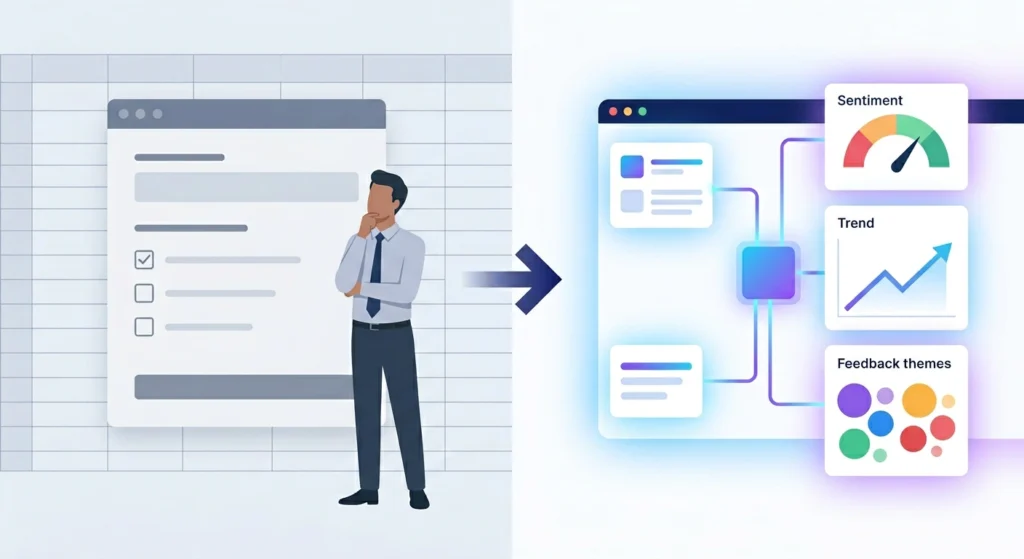
Starting Point: What Google Forms Does Well
Before we discuss the limits, let’s be fair. Google Forms became popular for good reasons.
First, it’s free. It also connects directly to Google Sheets, so you can send responses straight into a spreadsheet your team already uses. The interface is simple. In fact, most people can build a basic survey in less than ten minutes. Because it sits inside Google Workspace, sharing feels easy. Teams that already use Gmail, Drive, and Docs can collaborate without friction.
For simple and low-risk tasks — such as an event RSVP, a quick team poll, or a basic intake form — Google Forms works well. In those cases, it does exactly what you need. There’s no debate there.
However, most real feedback needs are not that simple. Once your requirements become even slightly more advanced, the cracks begin to show. At that point, Google Forms starts to feel limited.
Where Google Forms Falls Short
No AI assistance at all: To begin with, Google Forms is entirely manual. You choose the questions, you write the wording, you select the response types, and you decide the order. In other words, the tool provides structure, but not intelligence. There’s no system guiding you away from leading questions. Likewise, there’s no engine suggesting a stronger format. Most importantly, there’s no AI building a survey around your specific goal. As a result, you bring everything yourself, including your biases, blind spots, and assumptions.
Analytics that stay on the surface: Beyond collection, the limitations continue. Google Forms provides basic summary charts and a spreadsheet export. That’s where the analysis stops. If you collect open-text feedback, which often contains the most valuable insight, you must review it on your own. There’s no sentiment analysis, no theme detection, and no pattern recognition. Consequently, you either read every response manually or leave meaningful insights buried in the data.
An experience that feels outdated: Google Forms has not changed much in years. The interface works, but it feels old. There’s no conversational flow. There’s no smart branching that adapts to each person. Design options are limited. As a result, the survey feels generic. When respondents see it, they know it’s a basic free tool. That subtle signal can affect how seriously they take the questions — and how much effort they put into their answers.
Limited branding options: At first glance, Google Forms offers a few customization features. For example, you can add a header image. You can also adjust the color theme. However, that’s largely where the flexibility ends. As a result, businesses that care about brand experience may find the tool restrictive. Over time, this lack of polish can subtly weaken how professional your surveys appear. Consequently, respondents may not view the survey — or your brand — with the level of seriousness you intend.
Basic logic and branching: Google Forms supports simple conditional logic. For example, if someone selects option A, they move to section B. However, the setup feels clunky. More importantly, it cannot handle advanced adaptive flows. Modern survey design often requires more flexibility than it provides.
No built-in feedback loop: Google Forms collects responses. What happens next is up to you. There’s no automatic system to notify your team in real time. No structure turns feedback into action steps. As a result, data often sits untouched unless someone manually pushes it forward.
Enter Feedal.io: Built for How Feedback Actually Works
Feedal.io approaches the form and survey problem from a fundamentally different angle. Rather than giving you a blank canvas and stepping back, it actively participates in the process — from survey creation through to the insights you act on.
Here’s how it compares at each stage of the feedback journey:
Survey Creation: Intelligence vs. Manual Labor
Google Forms: To start, you build everything from scratch. You write each question, you choose the response types, you decide the order, you set up the branching logic. In short, everything depends on your time and expertise.
Feedal.io: By contrast, Feedal.io supports you from the beginning. You describe your research goal. Then the platform generates a structured survey built around that objective. The questions fit the context. The flow makes sense. The wording reduces bias and encourages honest answers. Of course, you can still edit and personalize the survey. However, you begin with a strong draft instead of a blank page.
The practical difference: In reality, building a thoughtful eight-question survey in Google Forms can take 30 to 60 minutes if you do it carefully. With Feedal.io, you can reach a solid first version in under five minutes. More importantly, the starting quality is often higher.
Respondent Experience: Conversational vs. Transactional
Google Forms: A static list of questions delivered in a clean but impersonal format. Respondents move through the same questions in the same order regardless of their previous answers. The experience feels like filling out a form because it is.
Feedal.io: Surveys are designed to feel like conversations. Adaptive logic adjusts the questions each respondent sees based on their actual answers, creating a personalized flow that keeps people engaged. The interface is modern, mobile-optimized, and designed to reduce friction at every step. Respondents who feel like they’re being genuinely heard — rather than processed — give better answers.
The result shows up in completion rates. A survey that feels relevant and respectful of someone’s time consistently outperforms one that feels generic, regardless of the question quality.

Feedback Analytics: AI-Powered Insight vs. Manual Interpretation
This is where the gap between the two platforms becomes clear.
Google Forms: At this stage, the limits stand out. You get bar charts. Pie charts. A spreadsheet export. Meanwhile, open-text responses sit in a single column, waiting for someone to read them one by one. If you collect 200 responses and ask three open-ended questions, that creates 600 written answers to review. Someone has to process them manually. As a result, most teams skim the comments, ignore them, or spend an entire day analyzing data that still feels incomplete.
Feedal.io: By contrast, Feedal.io automates the heavy work. AI-powered analytics process every response — including open-text answers. The system scans feedback at scale. It analyzes sentiment across the entire data set. It groups similar responses into clear themes. Consequently, you see patterns that manual review would likely miss. In addition, the platform tracks trends over time. You can spot shifts after a product update, pricing change, or support improvement. In other words, the analytics don’t just tell you what happened. They explain why it happened — and what to do next.
For teams collecting feedback at scale, this difference matters. It shows up in hours saved each week. More importantly, it appears in the speed and quality of the decisions that follow..
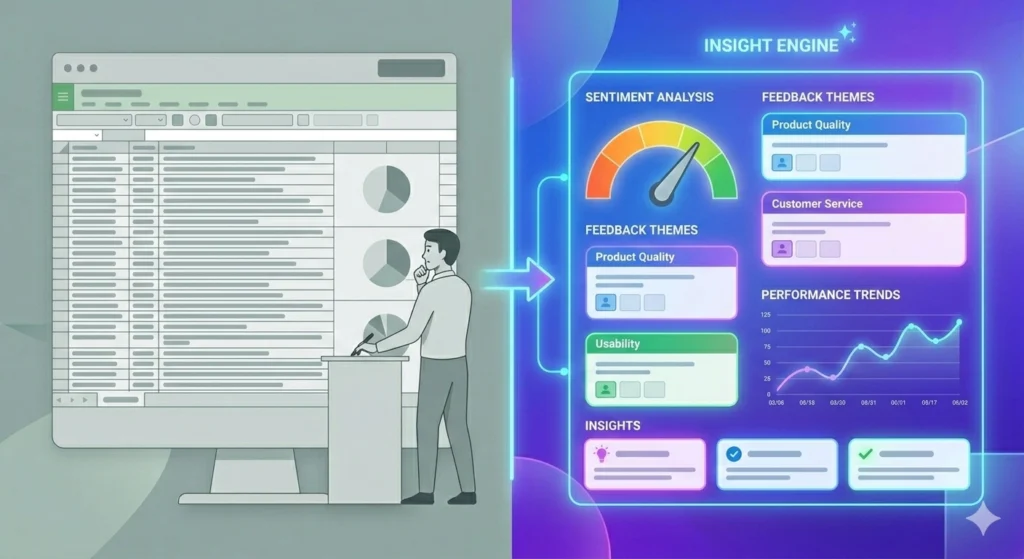
Design & Branding: Professional vs. Generic
Google Forms: Limited customization. Respondents immediately recognize it as Google Forms, which carries an implicit message about the effort you’ve invested in the experience.
Feedal.io: Full branding control. Your logo, your colors, your typography, your tone. Surveys look and feel like they were built specifically for your brand — because they were. For customer-facing feedback, the professionalism of the form itself affects how respondents perceive your organization and how seriously they engage with the request.
Integrations & Workflow: Ecosystem-Locked vs. Flexible
Google Forms: To begin with, Google Forms integrates deeply with Google Workspace — including Sheets, Drive, and Gmail. Therefore, if your entire organization operates inside Google’s ecosystem and rarely needs to step outside it, this can be a real advantage. In that specific context, the workflow feels seamless. However, once you move beyond Google’s environment, the integration options become limited. As a result, connecting feedback data to other systems often requires extra steps.
Feedal.io: By contrast, Feedal.io is built with modern workflows in mind. It connects directly with CRM platforms, project management tools, communication channels, and analytics stacks. Because of this, feedback flows automatically to the systems where decisions happen. Instead of sitting in a spreadsheet that one person checks occasionally, the data becomes visible and actionable across the team. Ultimately, that connectivity increases both speed and impact.
Head-to-Head Comparison
| Feature | Google Forms | Feedal.io |
| AI-assisted survey creation | ✗ Not available | ✓ Built-in |
| Open-text sentiment analysis | ✗ Manual only | ✓ Automated |
| Theme clustering & pattern detection | ✗ Not available | ✓ AI-powered |
| Adaptive branching logic | Limited | ✓ Advanced |
| Respondent experience quality | Basic | ✓ Conversational |
| Custom branding | Minimal | ✓ Full control |
| Trend tracking over time | ✗ Not available | ✓ Automated |
| Real-time feedback alerts | Limited | ✓ Available |
| Mobile optimization | Basic | ✓ Optimized |
| Analytics dashboard depth | Surface-level | ✓ Deep insights |
| Pricing | Free | Paid (with free tier) |
The Real Cost of “Free”
The most common reason teams stick with Google Forms is the price. It’s free, and that matters. But the cost of a tool isn’t just what you pay for a subscription — it’s the total cost of the workflow it creates.
Consider what using Google Forms actually costs in practice:
Time designing surveys from scratch, including the iterations when the first draft doesn’t produce useful responses. The time spent manually reviewing open-text feedback that AI could be processed automatically. Time building dashboards or spreadsheet formulas to make sense of data that a better tool would surface automatically. And the invisible cost of decisions made on incomplete or misinterpreted data.
When you add up the human hours that go into compensating for Google Forms’ limitations, the “free” label looks a lot less compelling. Teams that have made the switch to Feedal.io consistently report that the time saved in analytics alone justifies the investment — before accounting for the improved quality of decisions that better feedback enables.

Who Should Still Use Google Forms
That said, Google Forms still makes sense in certain situations. For example, it works well for one-off internal surveys with no branding needs. It also fits simple intake forms that send data directly into Google Sheets workflows. In addition, if your team already works fully inside Google Workspace, adding a new tool may create more friction than value. In those cases, sticking with Google Forms is reasonable.
However, this only holds true if your needs are truly simple and your feedback is low-stakes. If that’s the case, Google Forms is perfectly fine. Go ahead and use it. It’s free. It works reliably. And it will handle basic tasks without issue.
Who Should Be Using Feedal.io
If any of the following describe your situation, you’ve outgrown Google Forms:
You collect customer feedback regularly and need to actually act on it. You run employee surveys and care about response quality, not just response volume, and want your survey to reflect your brand rather than Google’s. You’re spending time manually reading through open-text responses and wish there were a better way. You need to track how feedback changes over time, not just what it says at a single point in time. You want your feedback data to flow into your existing tools rather than living in a spreadsheet.
Feedal.io was built for exactly these needs. The AI handles what used to be manual, the analytics surface what used to be hidden, and the respondent experience produces the kind of feedback that’s actually worth collecting.
The Bottom Line
Overall, Google Forms is a solid tool for simple problems. It deserves credit for making form creation accessible to almost everyone. Because of that, it will continue to serve an important role for basic use cases.
However, the equation changes for organizations that take feedback seriously. When feedback becomes a strategic input rather than a checkbox task, the limits of Google Forms become clear. Over time, those limits compound. Manual survey design slows you down. Surface-level analytics leave insight buried. A generic respondent experience lowers engagement. And hours spent reviewing open-text responses by hand drain valuable time. Taken together, the cost adds up.
By contrast, Feedal.io addresses these gaps directly. Instead of forcing you to combine multiple tools or hire a dedicated analyst, it centralizes the entire workflow. The AI supports you at every stage — from defining your research goal to reviewing a clear, structured summary of insights. As a result, your team can move from feedback to action much faster.
So the real question is not Google Forms vs. Feedal.io. Rather, it’s about the standard you want to set for your feedback program. Do you want it to be as smart and efficient as possible? Or simply good enough? In 2026, “good enough” is no longer enough.
Start Listening Smarter with Feedal
Start transforming your customer feedback today with Feedal’s AI-powered analysis.
 Prashant Sharma